Blackview
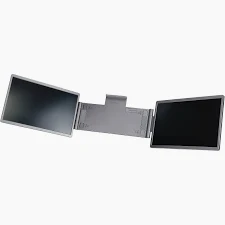
BRAND NEW SCREEN EXTENDER
new
Preorder
Inches
Screen size
In Stock
Out of Stock
This combination isn't available
Pay Deposit to Preorder Pay in Full
100% Genuine
Warranty Included
Nationwide Delivery
Description
A laptop screen extender is a portable extra display that clamps or folds out next to your laptop screen.
Types of Screen Extenders
- Single-Attach Monitors: Mounts to the back of your laptop lid and slides or flips out to give you a dual-screen setup.
- Triple-Screen Extenders: Features a central frame holding two screens that fold out from the sides of your main display.
- Standalone Portable Monitors: Independent monitors (like a separate tablet-style screen) that sit on your desk next to your laptop.
How They Connect and Work
- Cables: Most units use plug-and-play USB-C (supporting DisplayPort alternate mode) or a mix of USB-C and HDMI cables.
- Power: Some run on low power directly from your laptop's USB port, while others require an external wall adapter or separate power brick if brightness is turned up.
- Software: Many work instantly, but certain multi-screen models require a quick driver installation.
- Settings: Once plugged in, configure your layout via Windows Display Settings (Win + P) to "Extend" your desktop.
Pros and Cons
- Pros: Greatly boosts mobile productivity; lets you view multiple windows, spreadsheets, or chats at once without an external desktop monitor.
- Cons (Mixed Opinions): Clip-on models can add noticeable weight and strain your laptop's physical hinges over time. Many users prefer independent standalone portable monitors for better long-term durability.
![BRAND NEW AIRTAG GEN 2[KEY RING]](https://cdn.okimglobalworld.com/products/JP73zAXzvfdqRL6XGaq7MAKLim3dLhw2j8COcPgf.webp)
![BRAND NEW AIRTAG GEN 2 [4 PACK]](https://cdn.okimglobalworld.com/products/T8fXAKzr8aIahFoqCdyWCTZzkv4orVnYHVwJ3s1n.webp)